Upcoming meetings
See who's next without opening a calendar app — your upcoming events stay one glance away, right on your Stream Deck.
Elgato Stream Deck Plugin
See your next meeting and join it with one press — right from your Stream Deck, powered by your own Google Calendar, running entirely on your computer.
Everything Next Meeting does — and nothing more than that.
See who's next without opening a calendar app — your upcoming events stay one glance away, right on your Stream Deck.
A live countdown to your next meeting, updated in real time, so you always know exactly how long you have left.
Reads events directly from your Google Calendar with read-only access — nothing is ever changed, added, or removed.
Outlook Calendar support is in development and will follow the same read-only, local-first design as Google Calendar.
Press a key to open your meeting link — Google Meet, Zoom, Teams, or any URL your event carries — in your default browser.
Connect more than one Google account and switch between them, so work and personal calendars stay one press apart.
No backend, no cloud sync, no analytics. Next Meeting runs entirely on your computer and talks only to Google's API.
From sign-in to joining a call, in five steps.
Sign in once with Google. Next Meeting requests only the minimum scopes it needs — nothing more.
The plugin reads your upcoming events directly from the Google Calendar API, with read-only access.
Your next meeting — title, time, and a live countdown — shows up right on your Stream Deck key.
One press is all it takes — no switching windows, no hunting for the right tab.
The meeting link opens in your default browser, right when you need it.
A closer look at Next Meeting in action.
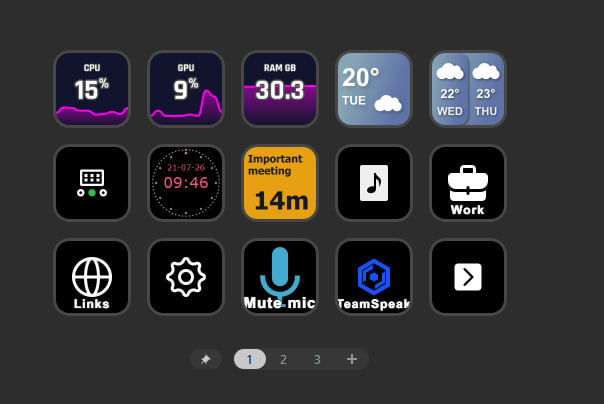
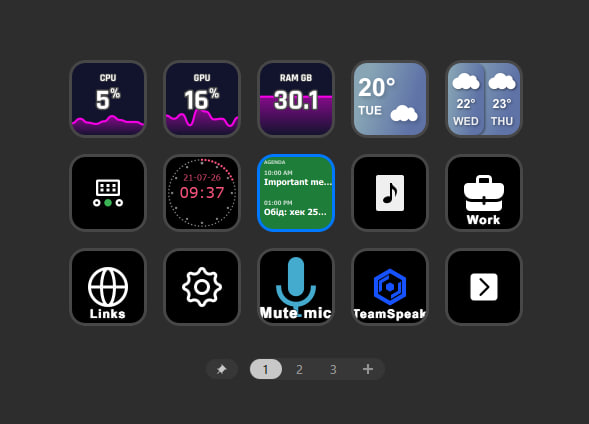
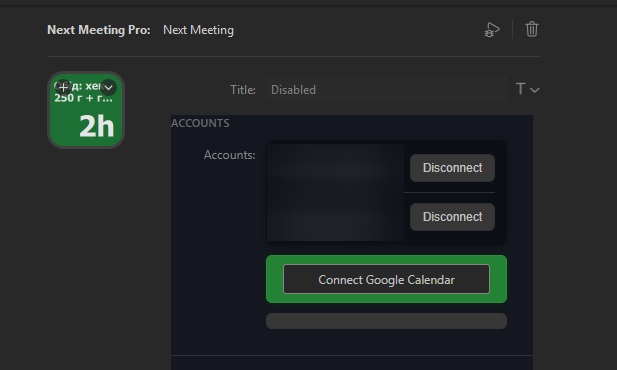
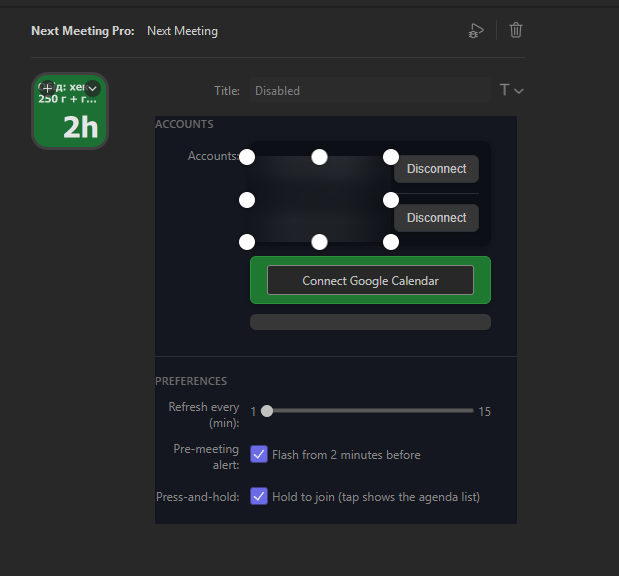
Exactly why Next Meeting asks for Google access — and exactly what it does with it.
Next Meeting never edits, creates, or deletes anything in your calendar. Access is strictly read-only — the plugin only ever asks Google for a list of your upcoming events.
Next Meeting requests exactly three Google scopes, and nothing beyond them:
| Permission | Purpose |
|---|---|
| Google Calendar (read-only) | Display your upcoming meetings and the time remaining until each one. |
| OpenID | Authenticate you with Google so the plugin knows which account is connected. |
| Display the connected account's name, so you can tell accounts apart. |
These are the only permissions Next Meeting requests from your Google account. It never asks for permission to write, edit, or delete anything in your calendar.
Next Meeting is built to need as little as possible, and to keep whatever it does need on your machine.
Straight answers to the questions Google reviewers — and everyone else — tend to ask.
Calendar access is the only way to show you which meeting is next and how much time is left before it starts. Without it, Next Meeting has nothing to display.
No. Next Meeting only ever reads your calendar. It cannot create, edit, or delete events — the Google scope it requests (calendar.readonly) doesn't grant write access at all.
Locally, on your computer. Next Meeting has no backend and no cloud sync — your calendar data and OAuth tokens never leave your machine.
No. There's no backend service, no analytics, and no telemetry. The plugin talks directly to Google's Calendar API and to nothing else.
Yes, any time. Disconnect it from within the plugin, or revoke access directly from your Google Account permissions page.
Microsoft Outlook Calendar support is in development, following the same read-only, local-first approach as Google Calendar. Google Calendar is fully supported today.
Built and maintained by one developer. Reach out any time.